Before you go, let us know your thoughts!
Thank you for using SwitchboardFREE. We'd like to invite you to leave us a review with an independent 3rd party, Reviews.co.uk.
We use cookies to run our website, analyse its use and personalise ads.
Thank you for using SwitchboardFREE. We'd like to invite you to leave us a review with an independent 3rd party, Reviews.co.uk.
Before we start, Call Screening also referred as Call Whisper. This is a free feature available for all of your SwitchboardFREE numbers.
OK, let’s say, as an example that your SwitchboardFREE number is setup with three departments. Callers calling your number will be presented with the following options:
On your phone keypad, please press 1 for Sales, press 2 for IT, press 3 for Complaints.
Now, let's say, the customer that calls your SwitchboardFREE number has a complaint, so he presses 3 on his phone’s keypad.
On your phone you see an incoming call made to your SwitchboardFREE number... you answer it. Now, rather than being connected to the caller straight away, you will hear a message (that's the Call Screening message) informing you what type of call it is. In our example, you might hear the following:
You have a complaints call, press the star key to accept the call or press 3 to send the caller to voicemail
This way, you can decide whether to answer the call or not. It also enables you to answer the phone professionally.
When you log in, go to your SwitchboardFREE number settings.
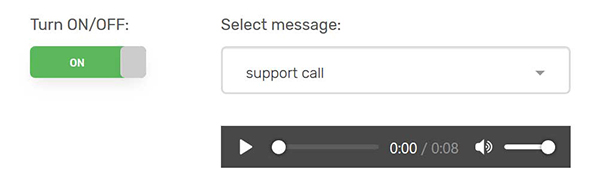
Besides recording the call screening message you can also change your introduction, voicemail message, department prompts, out of hours and even music on-hold. You can do this for free via the SwitchboardFREE app. Alternatively, you can use our professional voice artists or our in-house team for an additional fee.
Call screening is one of the most practical upgrades you can make to a cloud business phone system. Instead of answering blind, your team hears context before being connected, so they can open calls in a more informed and professional way. In day-to-day use, this helps with triage, prioritisation and customer experience, especially for teams handling sales, service and operational calls at the same time.
Because SwitchboardFREE call screening is tied to your call flow, you can pair it with other core features such as departments, redirecting calls and time-of-day routing. This creates a more intelligent front door for inbound calls, ensuring callers reach the right person with less delay while your team keeps control during busy periods.
If you are comparing call screening to a traditional direct ring setup, the biggest difference is context. Standard call answering routes calls quickly, but gives your team little information before they pick up. Call screening adds a short context layer that improves quality, consistency and speed of handling without adding expensive hardware or complex setup.
| Capability | Standard Ring | Call Screening |
|---|---|---|
| Context before answer | No context | Caller intent announced before connection |
| Department-aware handling | Limited | Works with department selections and routing |
| Consistency across team | Depends on individual user habits | Structured prompts support consistent handling |
| Suitability for high call volumes | Can become reactive and rushed | Better triage and clearer prioritisation |
For teams focused on quality monitoring and coaching, call screening also works well alongside call recording and call transcription, so you can review outcomes and improve scripts over time.
Yes. Smaller teams often switch context quickly between sales, admin and support. Call screening helps users understand the nature of each inbound call before answering, which reduces handling time and improves first impressions.
Absolutely. It is especially effective when paired with multiple departments, because the screening prompt can reflect the option the caller selected.
In most cases, no. The prompt is short and practical. Teams usually answer more effectively because they know what to expect before connection, which offsets the extra second or two added by the announcement.
Yes. You can combine call screening with open and close times, music on-hold and missed call alertsto create a full inbound call experience.
Activation is quick from your number settings in the SwitchboardFREE portal. If you are planning your setup, you can also review the wider feature set on the features pageand choose your number path from virtual phone numbers.