Before you go, let us know your thoughts!
Thank you for using SwitchboardFREE. We'd like to invite you to leave us a review with an independent 3rd party, Reviews.co.uk.
We use cookies to run our website, analyse its use and personalise ads.
Thank you for using SwitchboardFREE. We'd like to invite you to leave us a review with an independent 3rd party, Reviews.co.uk.
1. Go to the App Store to download the SwitchboardFREE VoIP Softphone for Mac. If the link doesn't work, in the App Store search for "SwitchboardFREE Phone".
2. Install the app on your Mac.
3. Once the app is installed and opened, you will have to enter your login details. You can get them here, or in the top navigation click Users and then List Users.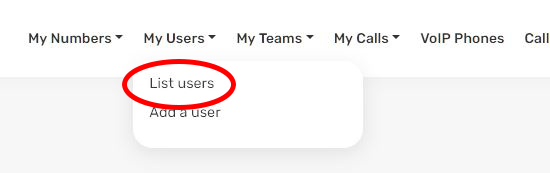
Once there, click the preview icon for the user you want to login with.
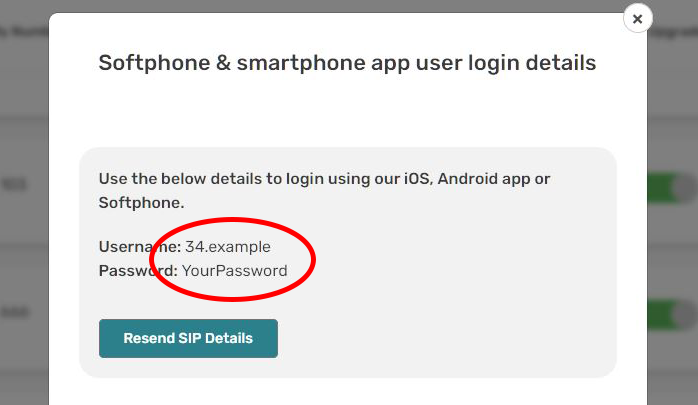
Enter your login details into the app. Once you successfully log in, you're ready to make and receive calls using your SwitchboardFREE numbers.